

Registration Instructions
Instructions for Registration
This guide will walk you through the complete process of registering for your BFSLA membership, from finding the registration page to completing your payment and finalizing your account.
Section 1. Find the Register Page
Click the “Membership Login” Button, and you will see the following page. On the right side, there is a “Register as a Member” button.
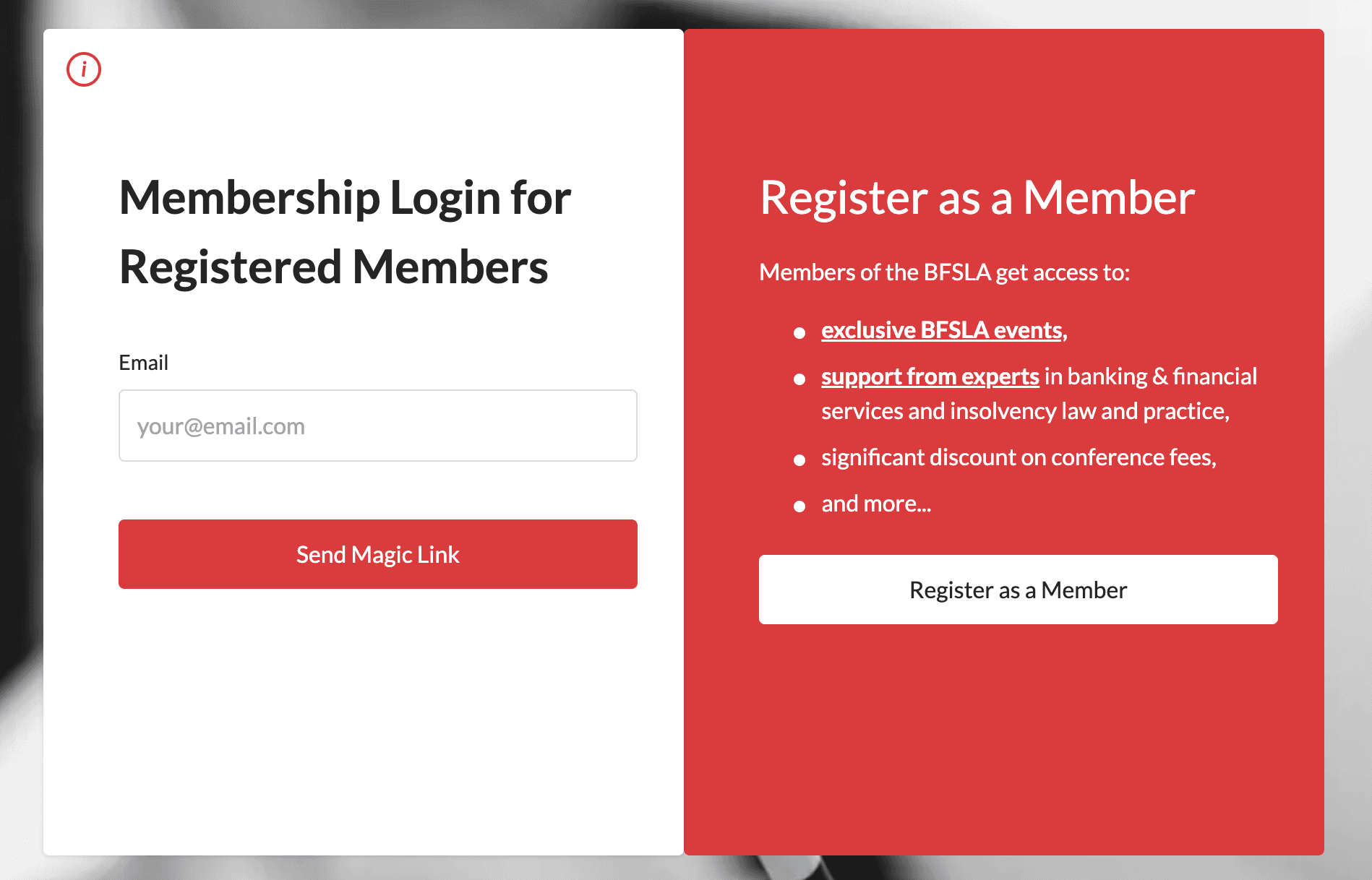
Figure 1: Login page with Register as a Member button
Then, you will go to the pricing page and select your membership type. Personal Membership is for an individual only. Organisation Membership is for an organisation with a default capacity of five; additional capacity must be purchased by the organisation’s administrator.
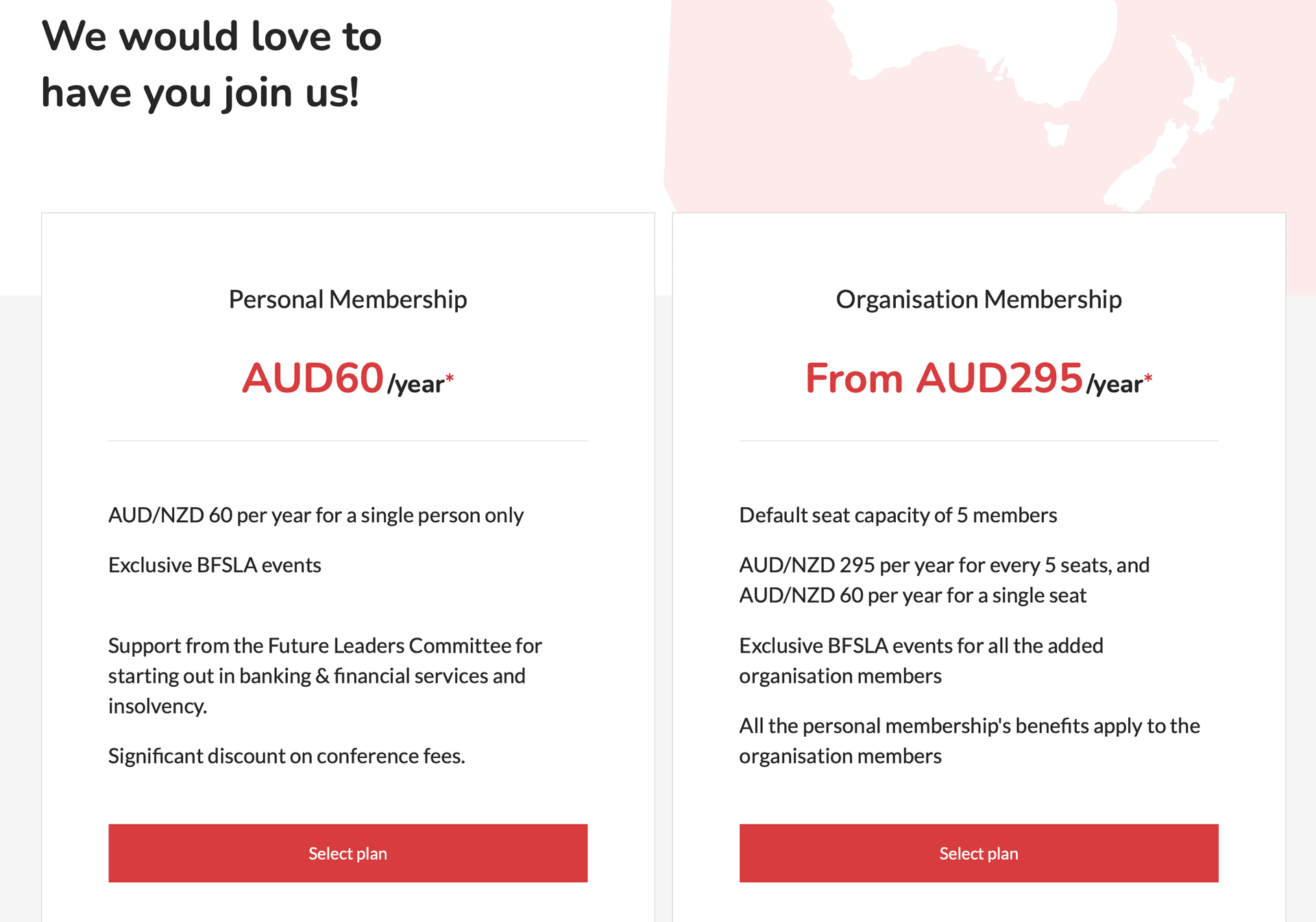
Figure 2: Membership type selection page
Section 2. Fill in the Information
For a personal membership applicant, you will see the following page.
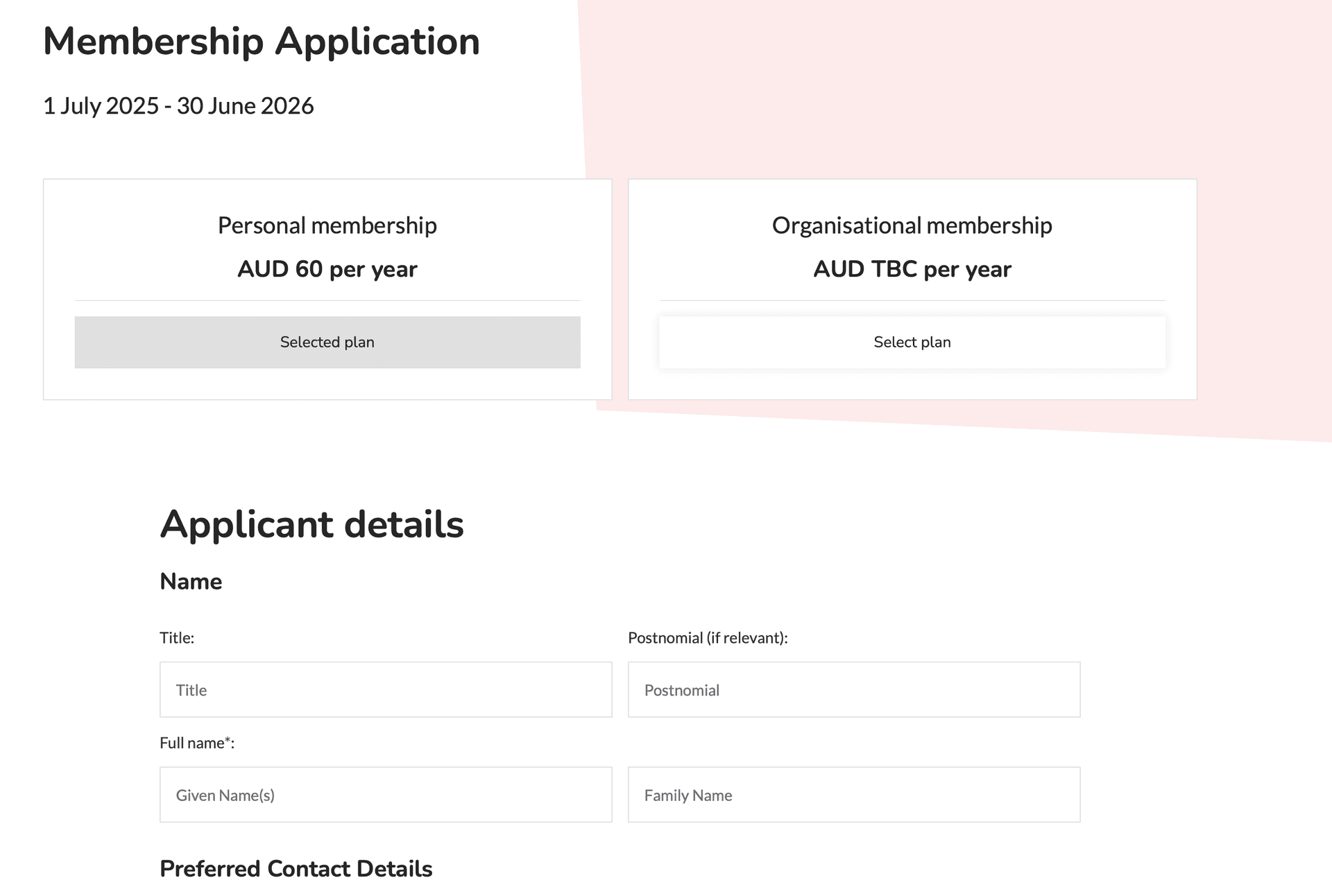
Figure 3: Personal membership registration form
For an organisation membership applicant, you will see the following page. Please ensure that the business number (ABN/NZBN) of your organisation has not already been registered. Please also select your organisation capacity. The minimum capacity is 5. When adding the capacity, every seat is 60 AUD/NZD per year, and every 5 seat will have a discount of 5 AUD/NZD per year. The final fee of the organisation membership is calculated based on the capacity you choose.
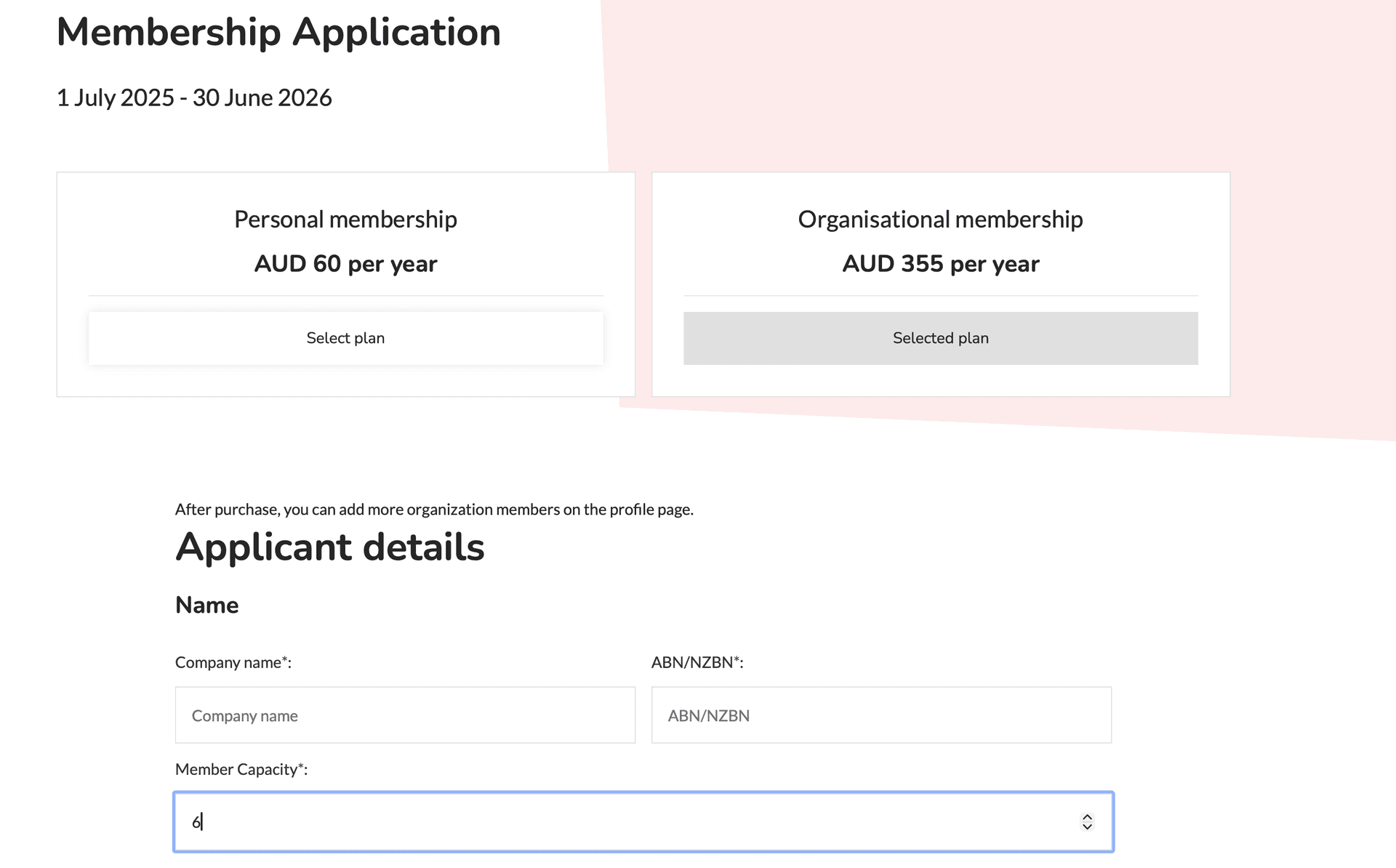
Figure 4: Organisation membership registration form
Then, please fill in all the required personal information here.
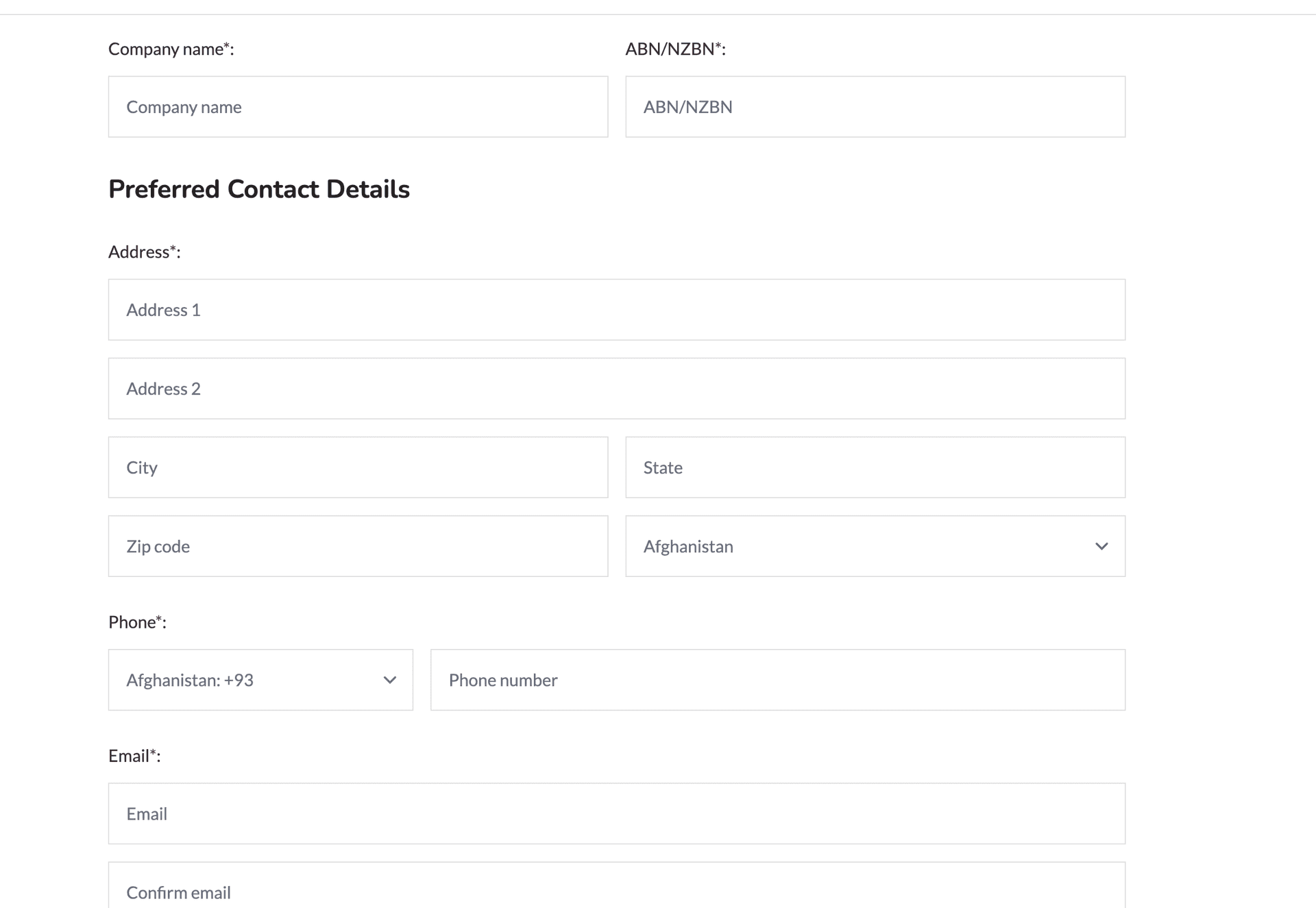
Figure 5: Personal information form
Please ensure that the email is correct. If you accidentally register using the wrong email address, please contact us, and we will update your email address to the correct one from our end. Also, please make sure the email you are using is not an ACTIVE MEMBER; otherwise, you will see:
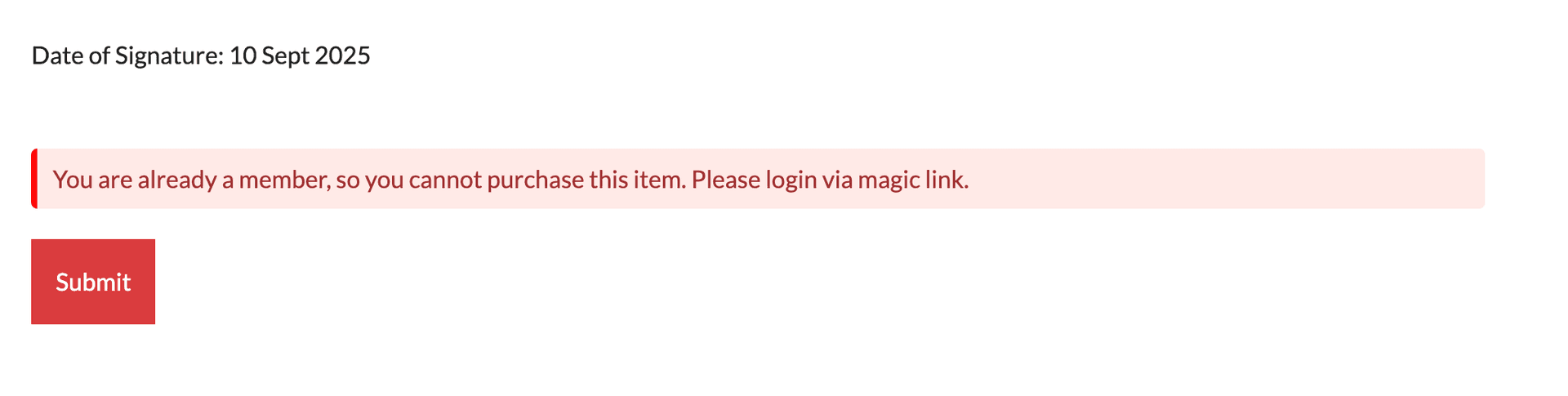
Figure 6: Active member email error message
Section 3. Payment
If everything is correct, you will be directed to the payment page. Please fill in the correct information to finish the payment.
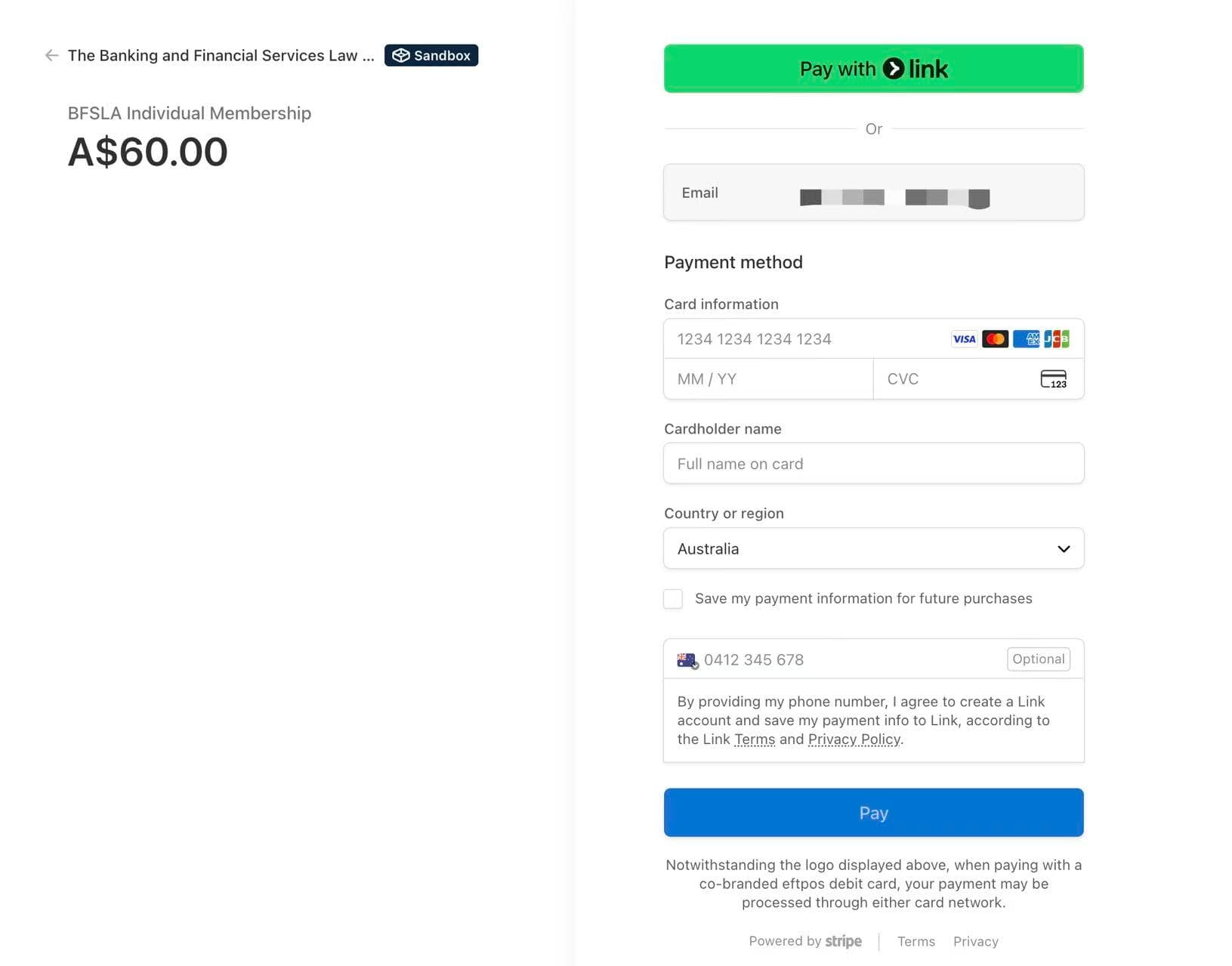
Figure 7: Payment information form
Section 4. Finalising Registration
Once the payment is successful, you will be directed to the following page. The page will direct you to the login page in 30 seconds.
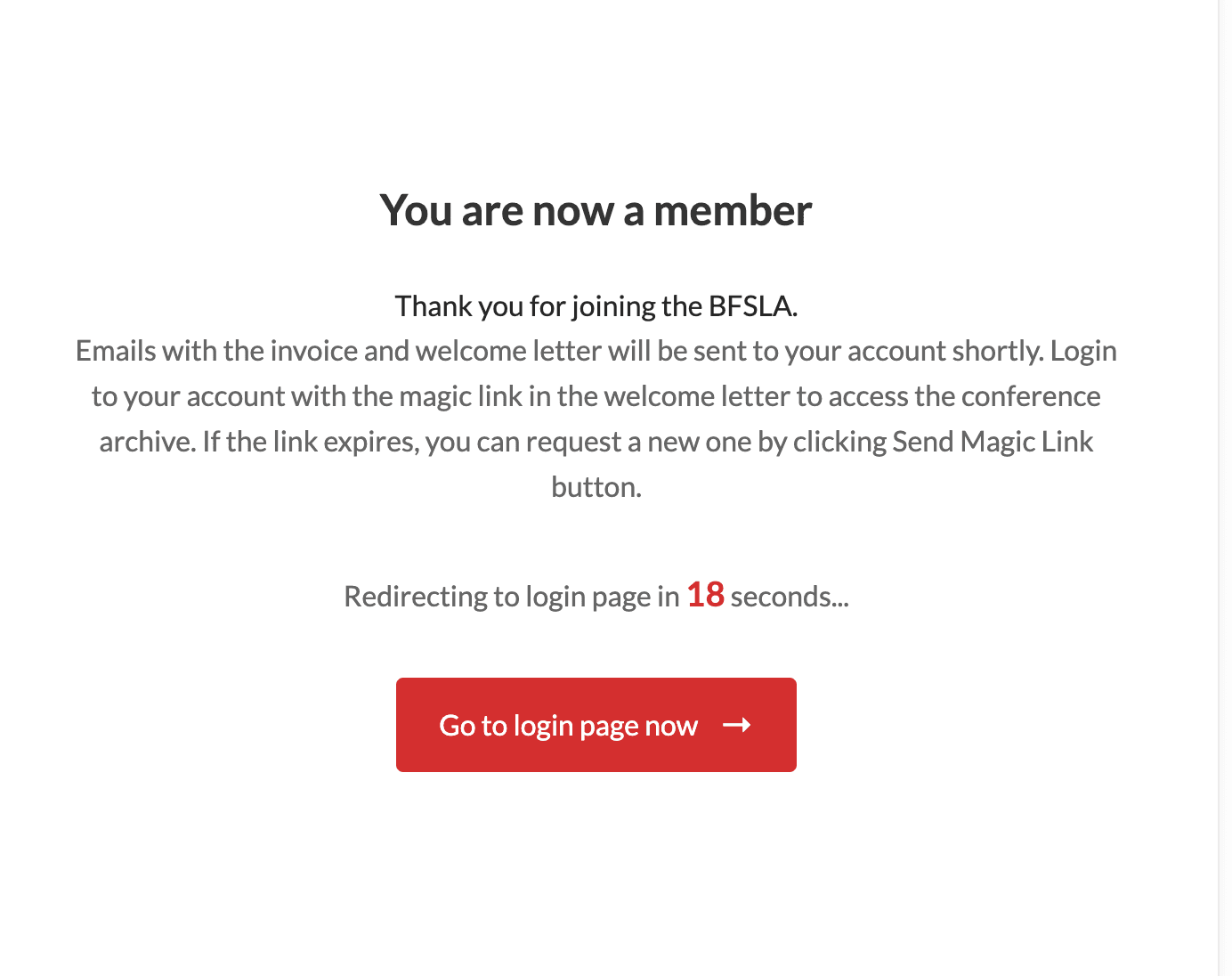
Figure 8: Registration success confirmation
You will soon receive two emails, the first is an invoice email with the payment invoice from BFSLA:
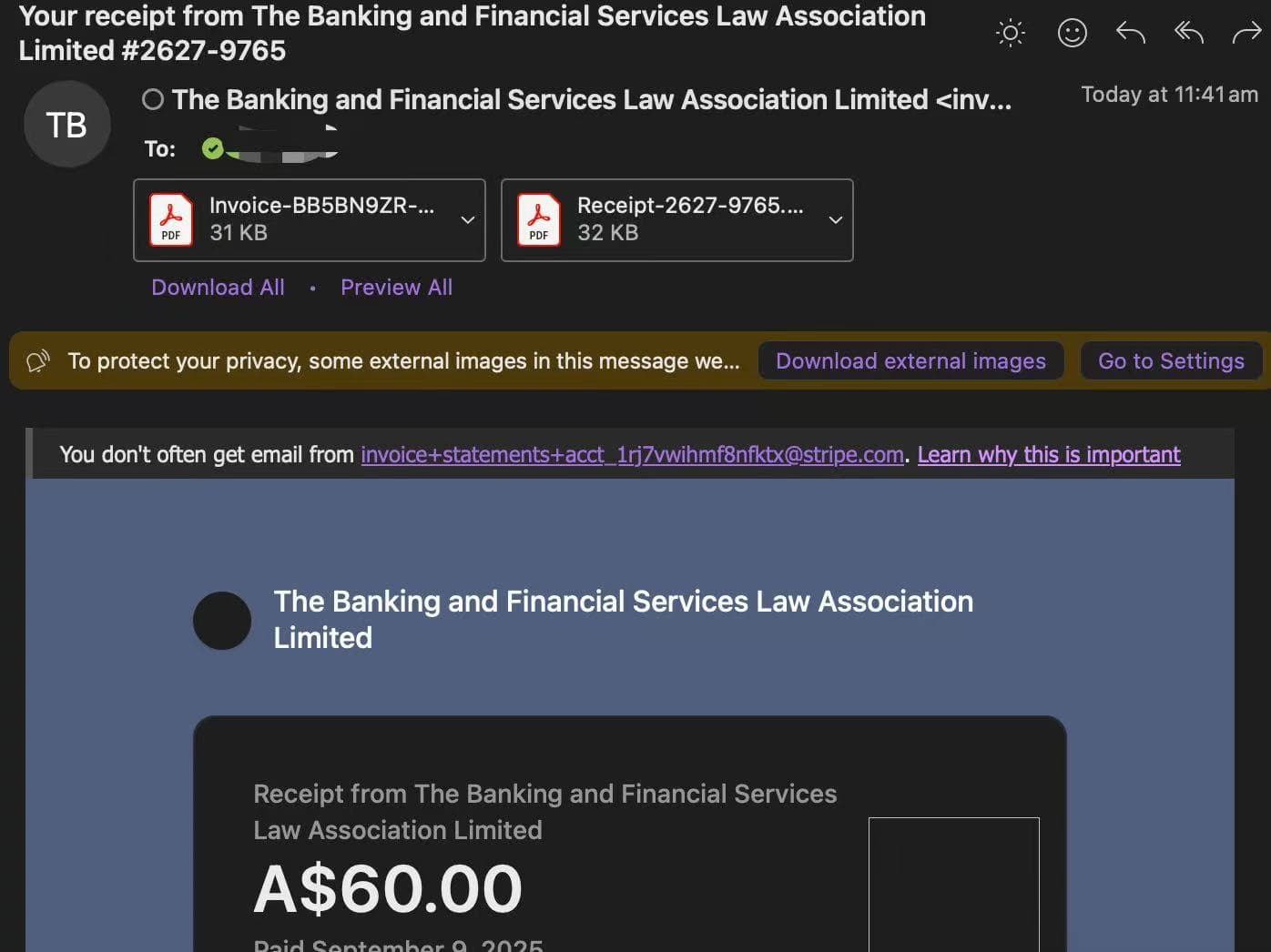
Figure 9: Payment invoice email
The second is a greeting email with a magic link. You can use the link in the same browser that you just finished registering in to log in. If the link expires, don’t worry; you can visit the login page to request a new magic link using the email address you just registered.
For the user who has never been a member before, the greeting email will be like:
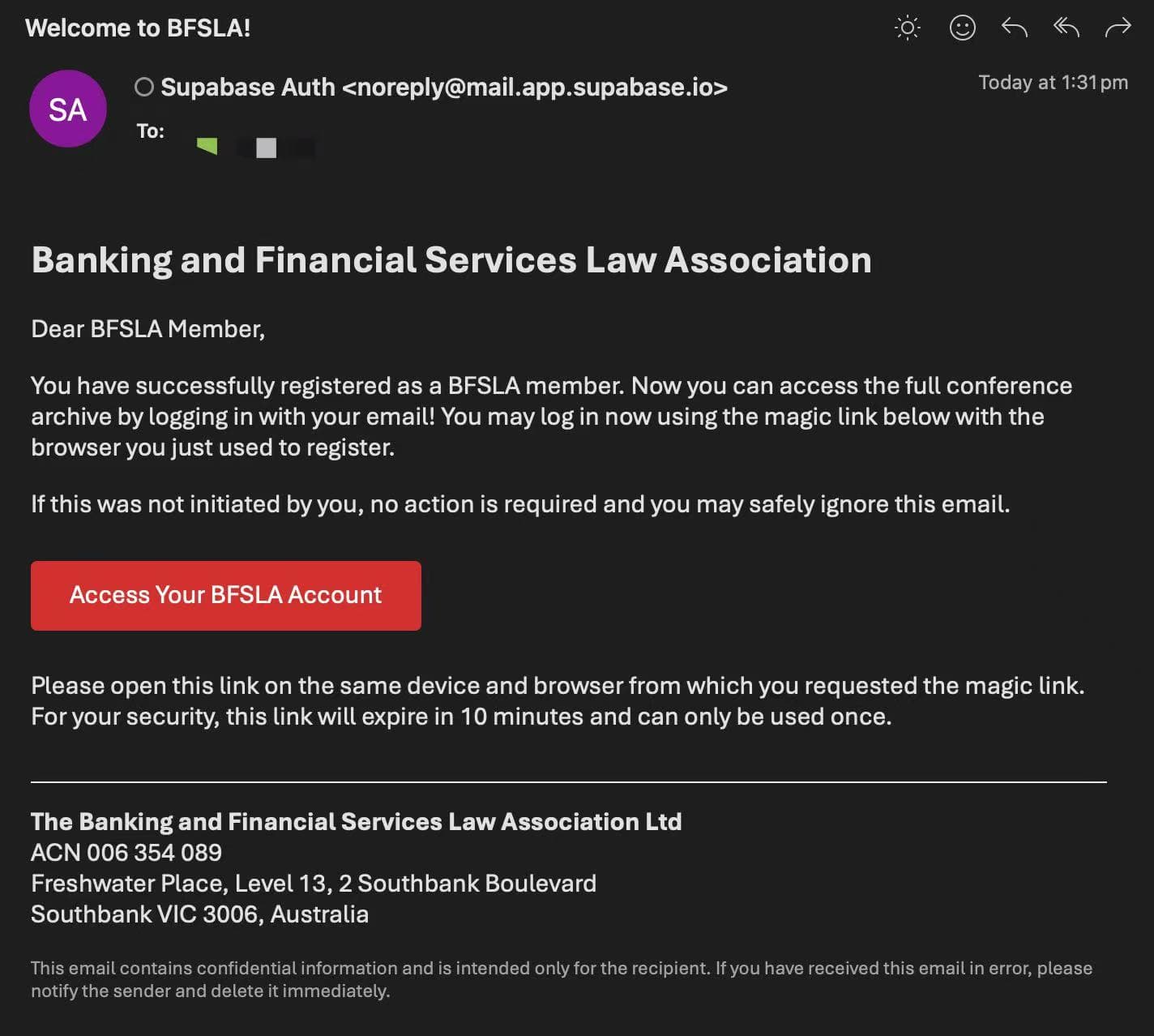
Figure 10: New member welcome email
For the user who was a member before and is already in our database, the greeting email will be like:
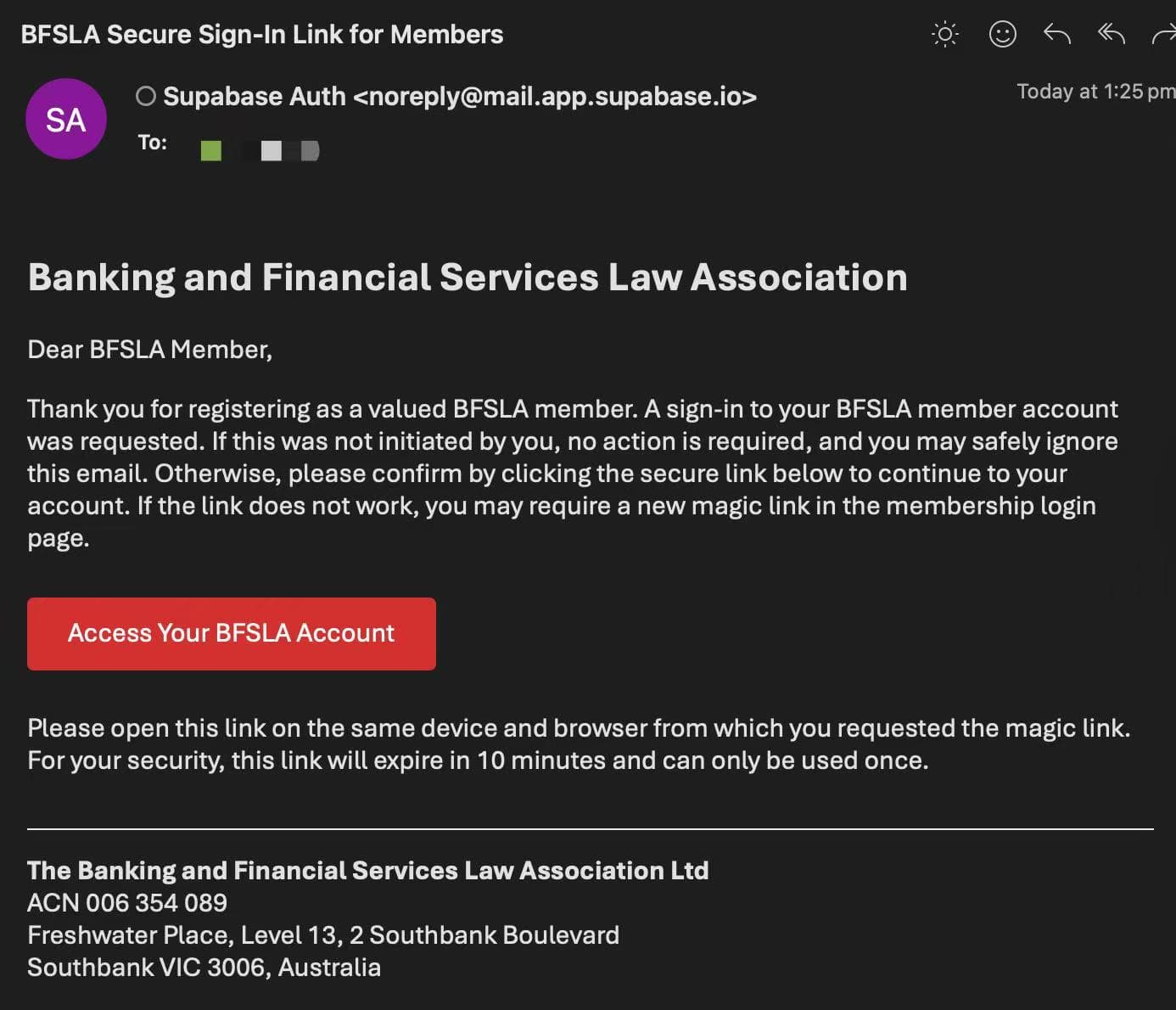
Figure 11: Returning member welcome email
If you experience any issues during the registration process, please ensure all information is entered correctly and that your payment method is valid. For further assistance, contact our support team.